SoundSwitchWidget
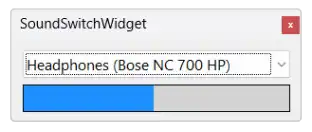
SoundSwitchWidget is a minimalist app that lets you switch audio outputs in a simple and convenient way. Do you have a large screen, or often switch between headphones and speakers? This tiny widget brings audio settings closer to your fingertips.
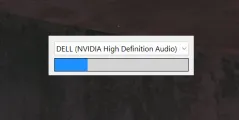
The app features a single dropdown for all available output devices and a volume control. It behaves like a desktop widget.
The SoundSwitchWidget no updates only upon clicking. It now updates instantly whenever the audio output device or the volume changes, utilizing the NAudio library. This approach allows for real-time responsiveness without the need for constant background polling.
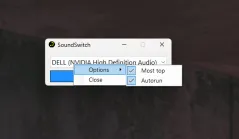
Right-clicking the app opens the settings menu. You can choose to keep it always on top or have it launch automatically when the system starts.
The application is free, and the source code is also available, so you can choose whether to download it or compile it yourself from the source. To compile it, you'll need Windows 11 and Visual Studio. The application is written in C#. SoundSwitchWidget source code on GitHub. You can download previous versions on GitHub. Releases history on GitHub
The executable file is not signed by a certificate authority. If you don't trust you can always compile it yourself from the source code. That way, you won't see the warning screen at all.
If you have an idea for improving the app, found a bug you'd like to fix, or just have any other feedback, feel free to leave us a message in the comments.
More screenshots of the application
Comments